

Ready to experience the future of video?
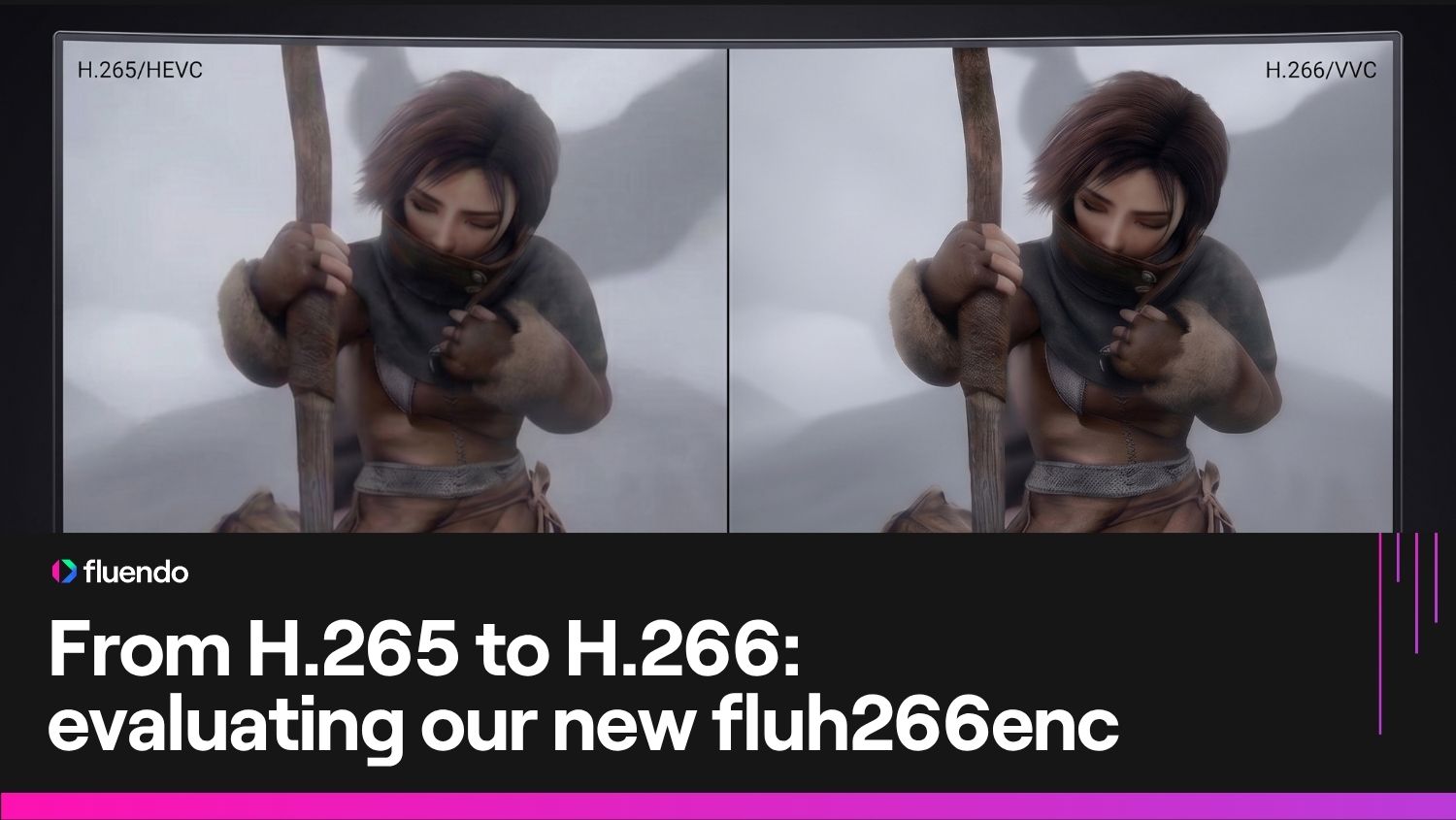
H.266, also known as VVC (Versatile Video Coding), is the official successor to H.265/HEVC. It was designed with a very specific future in mind: 8K resolution, 360° immersive video, and ultra-high-definition HDR.


The future of immersive media is here
H.266/VVC isn’t just an upgrade; it’s the gateway to the next generation of digital experiences.
Cost Reduction
Offers roughly 50% better data compression than H.265 for the same visual quality. This means an 8K movie that used to be 20GB could theoretically be shrunk to 10GB without looking worse.
Reach
Designed to make 8K and “volumetric” (3D) video practical for home internet speeds.
Legal Compliance
H.266/VVC codecs are made available with their patent license provided by the Access Advance patent holder.
Cost Reduction
Offers roughly 50% better data compression than H.265 for the same visual quality. This means an 8K movie that used to be 20GB could theoretically be shrunk to 10GB without looking worse.
Reach
Designed to make 8K and “volumetric” (3D) video practical for home internet speeds.
Legal Compliance
H.266/VVC codecs are made available with their patent license provided by the Access Advance patent holder.
Built for modern content delivery
Our GStreamer-integrated H.266 plugins are engineered for stability and speed. Whether you are building a high-demand VOD (Video On-Demand) platform or a cutting-edge immersive experience, our decoder and encoder provide the specialized tools —including native Alpha channel support— to integrate VVC seamlessly into your existing media pipeline.
Decoder
Experience seamless H.266/VVC playback with the fluh266dec plugin. Engineered for the demanding Main10 profile, our decoder uses a highly optimized, multi-threaded architecture to ensure smooth delivery of high-bitrate content. With a conformance rating exceeding 75% (verified via Fluster), it provides the industry-leading reliability required for mission-critical media applications.
Encoder
The fluh266enc is an H.266/VVC encoder. Designed with Video On-Demand in mind, it prioritizes encoding stability and visual fidelity, ensuring seamless integration into modern content delivery pipelines that require the latest in high-efficiency video standards. Integrate it into your delivery pipeline to achieve maximum storage savings without sacrificing a single pixel of quality.
Alpha channel
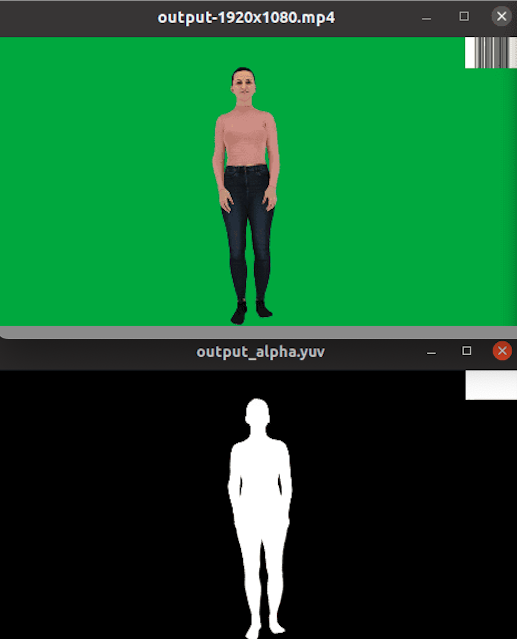
The Alpha channel is an essential tool in modern video workflows, enabling transparency and visual effects. It is an extra grayscale channel containing additional information about pixel transparency, used to create an alpha mask to overlay videos with transparencies over other content without borders or with a transparent background. It’s used in video production and editing to overlay videos with transparent backgrounds over other videos or on the web to overlay transparent videos over the main content. See our technical blog post for more info.

Our GStreamer-integrated H.266 plugins are engineered for stability and speed. Whether you are building a high-demand VOD (Video On-Demand) platform or a cutting-edge immersive experience, our decoder and encoder provide the specialized tools —including native Alpha channel support— to integrate VVC seamlessly into your existing media pipeline.
Decoder
Experience seamless H.266/VVC playback with the fluh266dec plugin. Engineered for the demanding Main10 profile, our decoder uses a highly optimized, multi-threaded architecture to ensure smooth delivery of high-bitrate content. With a conformance rating exceeding 75% (verified via Fluster), it provides the industry-leading reliability required for mission-critical media applications.
Encoder
The fluh266enc is an H.266/VVC encoder. Designed with Video On-Demand in mind, it prioritizes encoding stability and visual fidelity, ensuring seamless integration into modern content delivery pipelines that require the latest in high-efficiency video standards. Integrate it into your delivery pipeline to achieve maximum storage savings without sacrificing a single pixel of quality.
Alpha channel
The Alpha channel is an essential tool in modern video workflows, enabling transparency and visual effects. It is an extra grayscale channel containing additional information about pixel transparency, used to create an alpha mask to overlay videos with transparencies over other content without borders or with a transparent background. It’s used in video production and editing to overlay videos with transparent backgrounds over other videos or on the web to overlay transparent videos over the main content. See our technical blog post for more info.

Technical information
Hierarchy
GObject └── GInitiallyUnowned └── GstObject └── GstElement └── GstVideoDecoder └── fluh266dec
Profiles
- Main 10
Pad Templates
- sink
video/x-h266
stream-format: byte-stream (string)
alignment: au (string)
Presence – always
Direction – sink
Object type – GstPad
- src
video/x-raw:
format: { GRAY8, GRAY10_LE16, I420, I420_10LE, Y42B, I422_10LE, Y444, Y444_10LE }
width: [ 1, 2147483647 ]
height: [ 1, 2147483647 ]
framerate: [ 0/1, 2147483647/1 ]
Presence – always
Direction – src
Object type – GstPad
Properties
| Property | Type | Default | Description |
|---|---|---|---|
| gint | -1 | Sets the number of frames to parse in parallel; if negative, this is auto-calculated based on thread count (1.5x multiplier for 64-bit, 1.0x for 32-bit) and capped at 48 frames. | |
| threads | gint | -1 | Specifies the number of threads for decoding. If set to 0, executes decoding tasks synchronously on the calling thread without spawning additional threads. If the ’threads’ property is not explicitly defined or set to -1, it will default to the number of available virtual cores. The maximum value is twice the number of available virtual cores. |
Example launch line
h266_video='https://dl.photoprism.app/samples/Formats/Video/H.266-VVC/NovosobornayaSquare_1280x720.mp4'
gst-play-1.0 "$h266_video"
gst-launch-1.0 souphttpsrc location="$h266_video" ! parsebin ! fluh266dec ! videoconvert ! autovideosink
Hierarchy
GObject └── GInitiallyUnowned └── GstObject └── GstElement └── GstVideoEncoder └── fluh266enc
Interfaces
- GstPreset
Properties
| Property | Type | Default | Description |
|---|---|---|---|
| gint | 1000 | Distance between keyframes in milliseconds. | |
| gint | 0 | Maximum bitrate (kbps) for rate control. | |
| gint | 0 | Target bitrate (kbps); 0 disables rate control. | |
| preset | Enum | medium (2) | Speed/quality tradeoff (GstFluH266EncPreset). |
| qp | gint | 32 | Quantization parameter (ignored if bitrate != 0). |
| threads | gint | -1 | Specifies the number of threads for encoding. When set to a negative value, the system auto-scales thread allocation based on resolution: 4 threads for under 720p; 8 threads for 720p to 5K; and 12 threads for over 5K. Note that total thread allocation is always limited by the number of available CPU cores on the host machine. If set to 0, executes encoding tasks synchronously on the calling thread without spawning additional threads. The maximum value is twice the number of available virtual cores. |
Example launch line
gst-launch-1.0 videotestsrc ! fluh266enc ! h266parse ! rtph266pay ! udpsink