
Real-time face avatarization: identity swapping on the edge

Written by
Pawarit JamjodJuly 16, 2026
At Fluendo, we specialize in multimedia processing and have extensive experience working with GStreamer and other industry-leading technologies. One of the challenges we’ve tackled is face avatarization — swapping a chosen identity onto every face in a live video stream in real time, resulting in a blend that seamlessly integrates with the original footage.
We have developed an AI-powered solution that performs this swap live, frame by frame, entirely on the edge. From a single source image, the system can make everyone in a stream “wear” a chosen face, with natural blending, optional quality enhancement, and a range of controls that let you tune the look to your needs — all without sending a single frame to the cloud.
Table of contents
The challenge of real-time face avatarization
Swapping one face onto another in a still photo is a solved problem. Doing it live, on every frame of a moving video, while keeping the result believable and the frame rate smooth, is a much harder challenge.
The first difficulty is speed. A live stream gives you only a few dozen milliseconds per frame. Within that budget the system has to find every face, transform it, generate a swapped version, and blend it back into the scene — fast enough to keep up with the video without stutter.
The second is realism. A swapped face has to match the head’s exact position, angle, and expression in each frame. The boundary where the new face meets the original skin, hair, and lighting must be invisible. Even small misalignments or hard edges instantly break the illusion. Movement makes this harder still: lighting shifts, the head turns, the mouth moves, and the swap has to follow all of it frame by frame.
The third is flexibility. Different use cases need different trade-offs — some prioritize the most realistic possible result, others need the absolute highest frame rate, and some need to switch the worn identity on the fly. A one-size-fits-all approach doesn’t fit real production needs.
Finally, like any system that processes faces, there is privacy. Many tools depend on cloud services to do the heavy lifting, which means sending video off-device. Our solution runs entirely offline, keeping all footage and identities under your control.
Our AI-powered face avatarization system
We designed our face avatarization solution to be realistic, fast, flexible, and fully self-contained. By combining accurate face detection, a modern face-swapping engine, and careful blending, our system replaces faces in live video with a result that holds up frame to frame. Built as a native GStreamer plugin with a clean interface, it integrates directly into existing multimedia pipelines, runs locally, and gives you fine control over both quality and speed.
For the client, this translates into a versatile creative and production tool — for entertainment, virtual production, broadcast effects, privacy-preserving “digital double” use cases, and interactive experiences — all while keeping processing on the edge and the source material private.
Key features of our solution
- Real-time, on-the-edge processing: The swap runs live, frame by frame, with no internet connection required — keeping video and identities private and eliminating cloud costs.
- Single-image source: Pick the identity to wear from just one source image; the system computes that identity once and applies it to every face it sees.
- Multiple swap engines: Choose from several swap models, each balancing realism, speed, and flexibility differently, so you can match the tool to the job.
- Seamless blending: A precise face mask plus a choice of blending methods makes the boundary between the swapped face and the original footage invisible.
- Keep the real mouth: Optionally preserve the original speaker’s mouth over the swap, so lip movements stay perfectly in sync with the audio.
- Optional face restoration: A final enhancement pass can sharpen and clean up the swapped face for a crisper result.
- Multi-face support: Swap just the most prominent face, or every face in the frame at once.
The overall design and structure of the solution are illustrated in Figure 1, which provides a visual representation of the key components, their interactions, and how they collectively support the system’s functionality. This diagram helps to clarify the architecture by outlining the relationships between different stages and the flow of data through the pipeline.
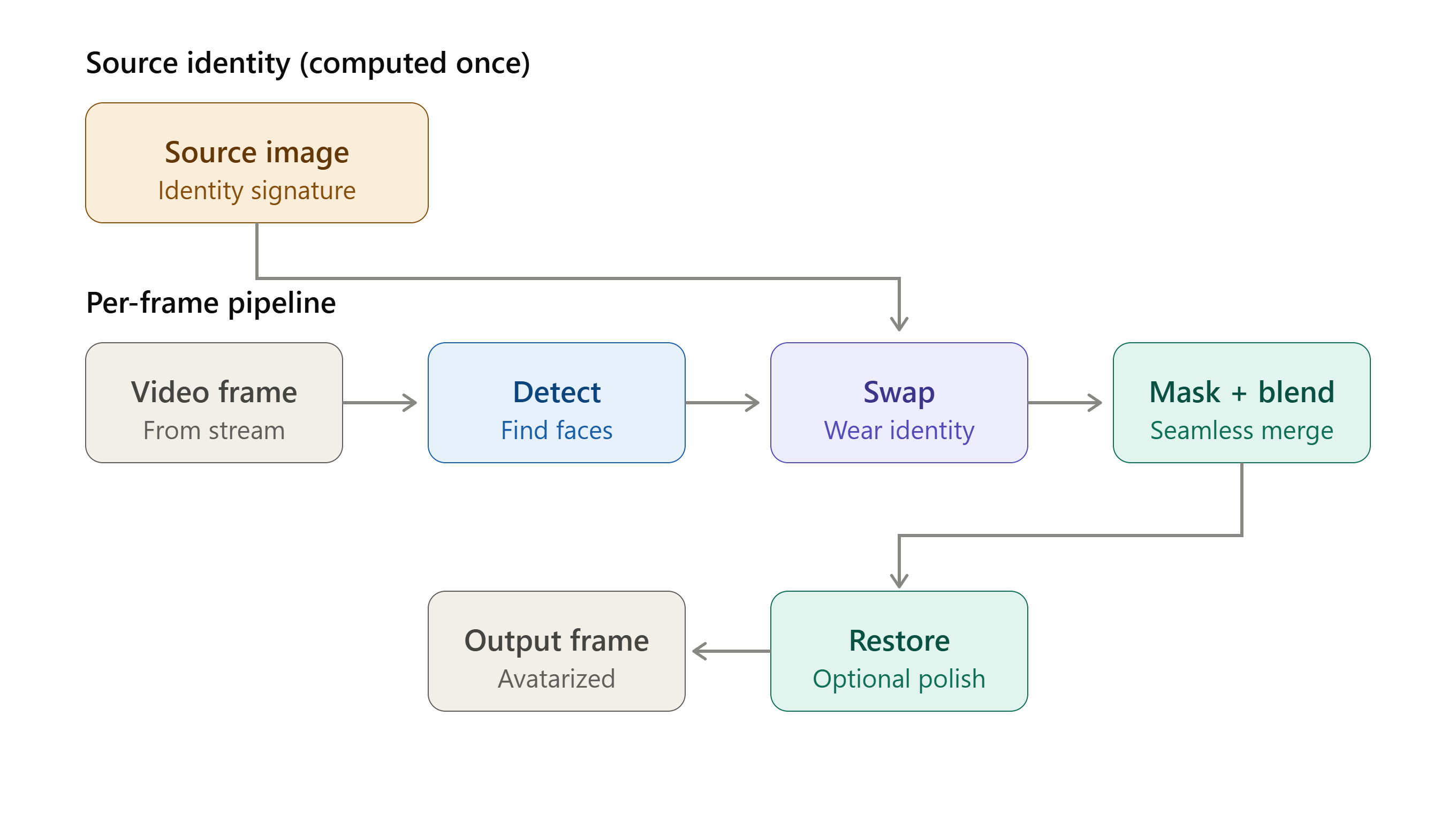
Figure 1: System workflow — from choosing a source identity and detecting faces in the stream, through the swap and blending, to the final avatarized output.
How does it work?
Below, we explain how our system swaps a chosen identity onto faces in live video, as shown in Figure 1.
1. Input processing & the GStreamer pipeline
Our system is built as a native GStreamer plugin, so it slots directly into standard multimedia pipelines. Video frames flow into the plugin, which processes each frame in real time and passes an avatarized frame back out. Because it is a GStreamer element, it works with the wide range of input sources and formats that GStreamer already supports — files, live streams, and capture devices alike.
2. Choosing the source identity
Everything starts with a single source image — the face you want everyone in the stream to wear. When you select it, the system detects the face in that image and computes a compact representation of its identity, just once. This “identity signature” is what gets applied to every face in every subsequent frame, so this relatively expensive step is paid only when you choose or change the source, not on every frame.
Switching the source identity is as simple as picking a new image; the system recomputes the signature in the background and carries on.
3. Face detection – finding every face in the frame
For each incoming frame, the system first finds the faces. We use a fast, accurate face detector that returns each face’s location along with a set of facial keypoints (eyes, nose, and mouth corners). Those keypoints are essential: they let the system align each target face into a standard orientation before the swap, and then place the swapped result back exactly where it belongs.
You can choose to swap only the largest, most prominent face in the frame, or every face at once.
4. The face swap – wearing the chosen identity
This is the heart of the system. For each detected face, the aligned face crop and the chosen identity signature are fed into the swap engine, which generates a new version of that face — same pose, same expression, same lighting direction, but wearing the source identity. The result is a swapped face that matches how the original head is positioned and moving in that exact frame.
5. Masking & seamless blending
A raw swapped face still needs to be merged back into the scene convincingly. To do this, the system builds a precise mask of the face region using detailed facial landmarks, so only the face itself is replaced — not the hair, ears, or background.
The swapped face is then warped back to the original position and blended in. You can choose between blending methods that trade softness against seamlessness, and the blend is carefully constrained to the swapped region so it never bleeds into the surrounding image.
One especially useful option is keep the real mouth: the system can paste the original speaker’s actual mouth back over the swap. This keeps lip movements perfectly aligned with the real audio — important for dialogue, presenting, or anything where speech needs to look natural. The size of the preserved mouth region is adjustable.
6. Optional face restoration
As a final touch, the swapped face can pass through an optional restoration step that sharpens detail and cleans up artifacts, producing a crisper, higher-quality result. This enhancer can be turned on or off, or switched between quality levels, on the fly — without restarting the pipeline.
7. Performance – keeping it real-time
Generating a fresh swap for every face on every frame is demanding, so the system includes a frame-skipping optimization. On skipped frames, faces are still quickly re-detected (a cheap operation) and the most recent swapped face is re-pasted at the new tracked position — reusing the expensive swap result while still following the motion. This keeps the output smooth and responsive while dramatically reducing the heaviest computation.
Choosing a swap model
A key strength of our system is that it isn’t tied to a single swapping engine. Different models suit different priorities, and you can switch between them to find the right balance for your use case:
- Highest realism: Reference-quality swap models that produce the most convincing results, ideal when visual fidelity matters most.
- Highest speed: Lightweight models that make the per-frame swap extremely cheap, ideal when you need to maximize frame rate.
- Runtime-selectable identity: Models that let you change the worn identity live, from any source image, at runtime.
- Fixed identity: A streamlined option where one identity is locked in for maximum efficiency.
This flexibility means the same system can serve a high-fidelity offline render and a fast, interactive live demo, just by changing the model.
See it in action
The example below shows the full process running live on a standard webcam feed. We start with a chosen source identity, point the system at the live video, and the face is swapped frame by frame in real time.

Figure 2: The source identity — the face selected for everyone in the stream to wear.
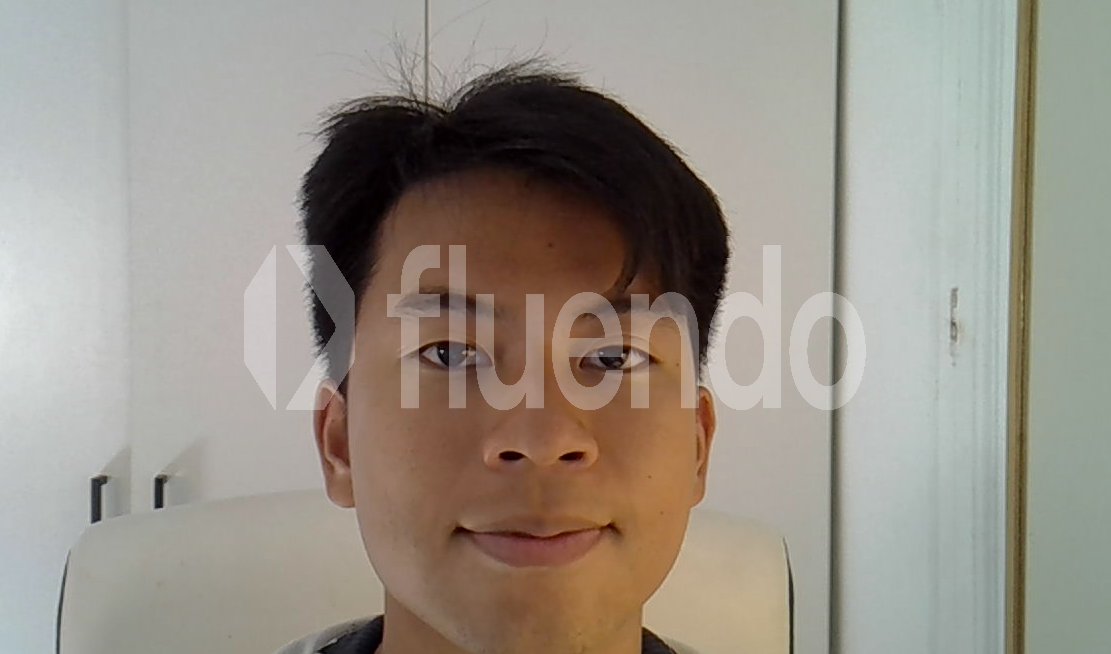
Figure 3: The original live webcam feed, before any swap is applied.
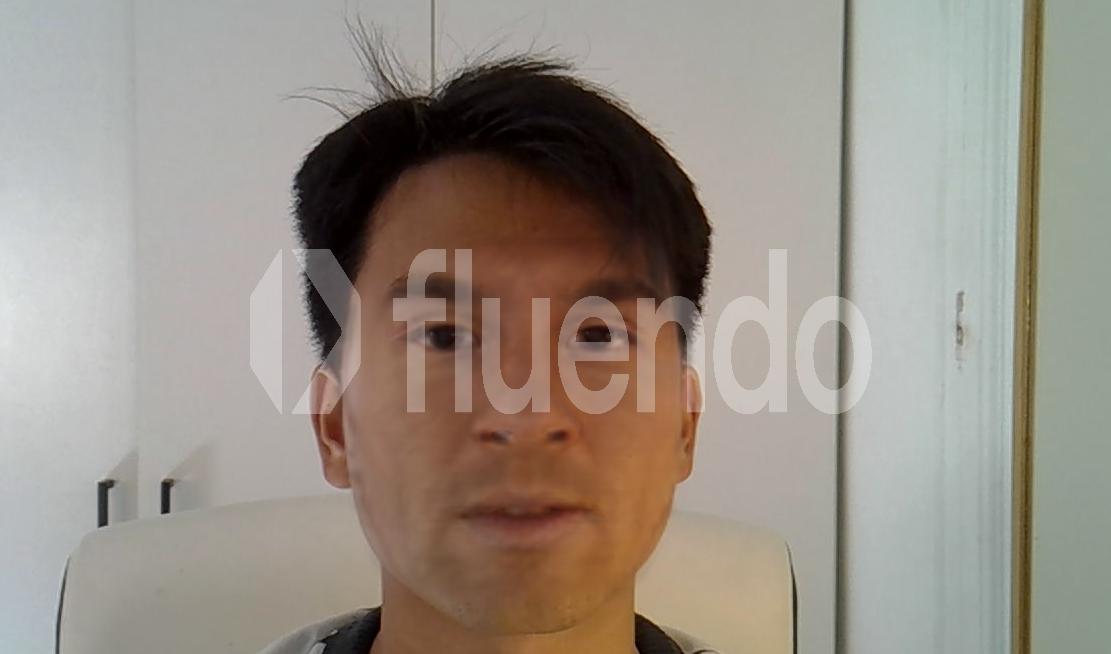
Figure 4: The same feed with the source identity swapped in live. The on-screen overlay reports real-time performance — here averaging around 25 frames per second, with no dropped frames.
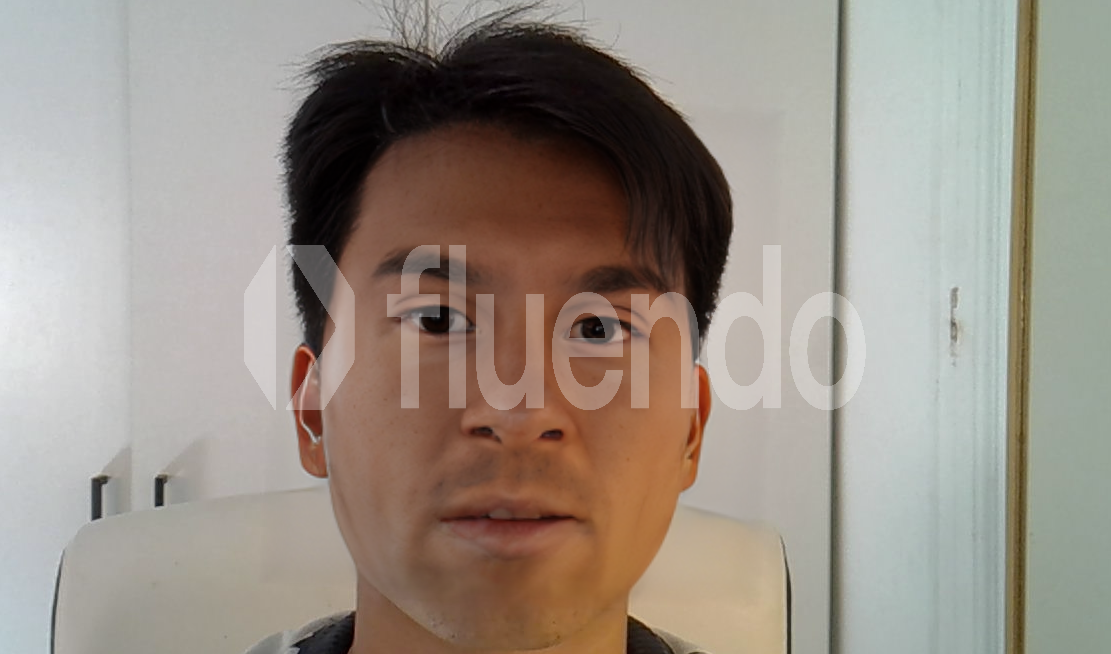
Figure 5: The swap with the optional face restoration step enabled, sharpening detail for a crisper result.
In every frame the swapped face tracks the subject’s pose, expression, and lighting, and the masking and blending keep the boundary with the original footage invisible — all while sustaining real-time frame rates entirely on local hardware.
Performance & evaluation
Our solution has been designed from the ground up for real-time video processing, where every frame must be processed within a strict latency budget while maintaining convincing visual quality. The complete pipeline—including face detection, identity swapping, mask generation, blending, and optional face restoration—runs entirely on local hardware, eliminating network latency and ensuring that all video data remains on-device.
In our reference implementation, built using OpenCV for video rendering, GStreamer for multimedia processing and ONNX Runtime as the AI inference backend, the complete end-to-end application achieves approximately 16 FPS on an NVIDIA GeForce MX550 laptop GPU. This performance includes the entire avatarization pipeline—from video capture and face detection to identity swapping, blending, rendering, and optional face enhancement—demonstrating that practical real-time face avatarization is achievable even on modest consumer hardware, without relying on cloud infrastructure.
Beyond the final application performance, our engineering effort focused heavily on optimizing the underlying AI models. Across the evaluated face-swapping architectures, we achieved inference latency reductions of up to 2× while preserving numerical equivalence with the original implementations. All validated optimizations maintained reconstruction errors on the order of 10⁻⁸ (MSE), demonstrating that substantial acceleration can be achieved without compromising visual fidelity.
The system is also designed to accommodate different deployment scenarios. Depending on the selected swap engine and configuration, users can prioritize maximum visual realism, lowest latency, runtime-selectable identities, or maximum throughput. This flexibility enables the same application architecture to scale across a wide range of hardware platforms while maintaining a consistent interface and deployment workflow.
Responsible use
Face-swapping technology is powerful, and we believe it should be used responsibly. Our system is built for legitimate creative, production, and privacy-preserving applications — entertainment, virtual production, broadcast effects, and consented “digital double” use cases — where the people involved have agreed to the use of their likeness.
Running entirely on the edge means organizations retain full control over both the footage and the identities involved, with nothing leaving their own infrastructure. We encourage all users to obtain proper consent for any identity used as a source or target, to comply with applicable laws and platform policies, and to clearly disclose synthetic or altered media where appropriate.
Conclusion
Our mission centers on developing AI-powered technology to solve practical multimedia problems. Built on a foundation of intensive research, precise engineering, and deep expertise in computer vision, our edge-based face avatarization system offers fully offline, real-time flexibility. We enable businesses to generate high-fidelity face swaps efficiently—minimizing latency and operational costs while ensuring source data remains entirely private.
These successful outcomes demonstrate that our current algorithm is ready for seamless integration into Fluendo AI Plugins. By leveraging a parallelized, graph-based, and fully GPU-driven architecture, FluPluginsAI will dramatically cut down preprocessing and postprocessing times. This robust architectural foundation, paired with upcoming optimizations to slash model inference latency, puts real-time 4K video processing well within reach.
Looking ahead, we remain committed to continuous innovation and improvement. Some key areas of future development include:
- Higher fidelity at higher speed: Continued optimization to push both realism and frame rate further on edge hardware.
- Stronger temporal stability: Refining frame-to-frame consistency so swaps stay rock-steady through fast motion and challenging lighting.
- Broader model support: Integrating new swap and enhancement engines as the field advances, all behind the same simple interface.
- Cloud & edge flexibility: Extending the solution to cloud-based deployments for greater scalability while preserving its fully offline capabilities.
With our expertise, commitment to innovation, and deep understanding of multimedia technologies, we are shaping the future of real-time video intelligence.
Are you ready to take your multimedia projects to the next level? Let’s make it happen! Contact us here and discover how Fluendo can help you bring your ideas to life. Together, we’ll continue shaping the future of multimedia.